Native WebDAV Browsing
SOLONAS reads your WebDAV folder tree directly. No scanning, no indexing, no import. Your library appears exactly as it is on disk.
WebDAV Music Player
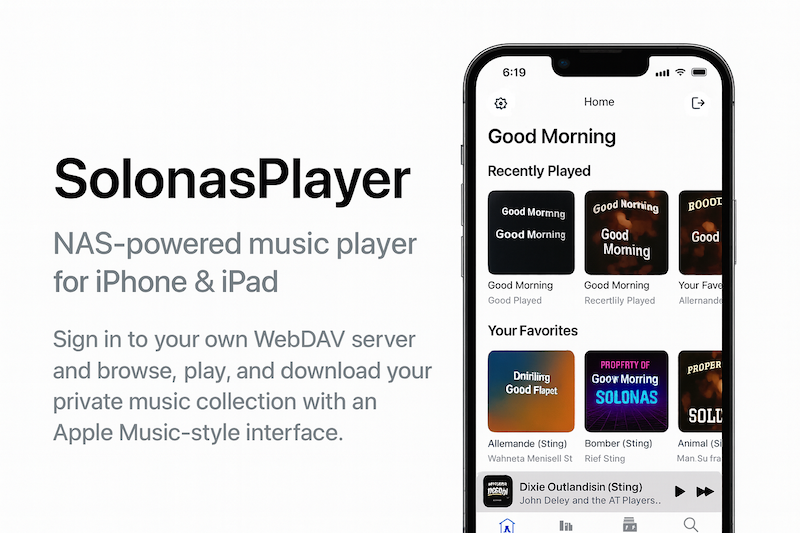
SOLONAS connects to any WebDAV server and streams your MP3 and FLAC collection to iPhone and Apple Watch. No cloud uploads. No media server to install. Just WebDAV.
 iPhone app
Also available for Apple Watch
The Basics
WebDAV (Web Distributed Authoring and Versioning) is an extension of HTTP that lets clients browse folders and stream files from a remote server. It has been a web standard since 1999 and is built into nearly every NAS device on the market.
For music, WebDAV is ideal because it needs zero extra software on your server. Your NAS already speaks WebDAV. You just enable it, point a player at your music folder, and stream.
Compare that to Plex, Jellyfin, or Subsonic - each of which requires installing a full media server, scanning your library into a database, and maintaining a separate application. WebDAV skips all of that. Your files stay in plain folders. The player reads them directly.
Protocol Comparison
There are several ways to stream music from a home server. Here is how WebDAV compares to the most common alternatives:
| Feature | WebDAV | DLNA / UPnP | SMB / CIFS | Subsonic API |
|---|---|---|---|---|
| Works over internet (HTTPS) | Yes | No - LAN only | No - LAN only | Yes |
| Encrypted | Yes (HTTPS) | No | Optional (SMB3) | Yes (HTTPS) |
| Requires server software | No - built into NAS | No - built into NAS | No - built into NAS | Yes - Subsonic, Navidrome, etc. |
| Library scanning / database | None - reads folders directly | Yes - media index required | None | Yes - library scan required |
| Apple Watch support | Yes (via SOLONAS) | No | No | No |
| Folder-based browsing | Yes | No - uses media categories | Yes | Depends on client |
WebDAV is the only protocol that is built into your NAS, works over the internet with encryption, and has a dedicated Apple Watch music player.
Why SOLONAS
Most music apps treat WebDAV as an afterthought or do not support it at all. SOLONAS was designed from the ground up for WebDAV streaming.
SOLONAS reads your WebDAV folder tree directly. No scanning, no indexing, no import. Your library appears exactly as it is on disk.
All traffic between SOLONAS and your server travels over HTTPS. Your music and credentials are encrypted end to end.
Dedicated native apps for both platforms. The Watch app is fully standalone - no iPhone needed during playback.
Play the formats your library uses. SOLONAS v8.0 added FLAC and CAF support alongside MP3.
Streams on your local network without configuration, or remotely over HTTPS when you are away from home.
Buy once on the App Store. No Plex Pass, no premium tier, no subscription. Your music, your server, forever.
Compatible Servers
Any server that speaks WebDAV over HTTPS is compatible. Here are the most popular:
FAQ
A WebDAV music player is an app that connects to a WebDAV server and streams audio files directly. WebDAV is a standard protocol built into most NAS devices, so no extra media server software is needed.
SOLONAS is a dedicated WebDAV music player for iPhone and Apple Watch. It connects to any WebDAV-over-HTTPS server including Synology, QNAP, TrueNAS, Nextcloud, and ownCloud.
For remote access and security, yes. WebDAV works over HTTPS (encrypted, accessible from anywhere). DLNA is LAN-only with no encryption. WebDAV is also simpler - no media index or database required.
Yes. SOLONAS for Apple Watch connects directly to WebDAV servers and streams MP3 and FLAC files to your wrist. It is the only dedicated WebDAV music player for watchOS.
Usually not. Most NAS devices include WebDAV. On Synology, install the WebDAV Server package from Package Center and enable HTTPS. No Plex, Jellyfin, or Docker required.
Yes. WebDAV runs over HTTPS, so it works from anywhere with an internet connection. For remote access, enable HTTPS on your NAS and optionally set up port forwarding or a service like Synology QuickConnect.
SOLONAS for iPhone is free to download with a 7-day trial, then a one-time unlock. SOLONAS for Apple Watch is a paid download. Neither requires a subscription.
More questions? See the full FAQ page or contact support.
Get SOLONAS
On the App Store. No media server needed. Just connect and play.
iPhone app
Apple Watch app