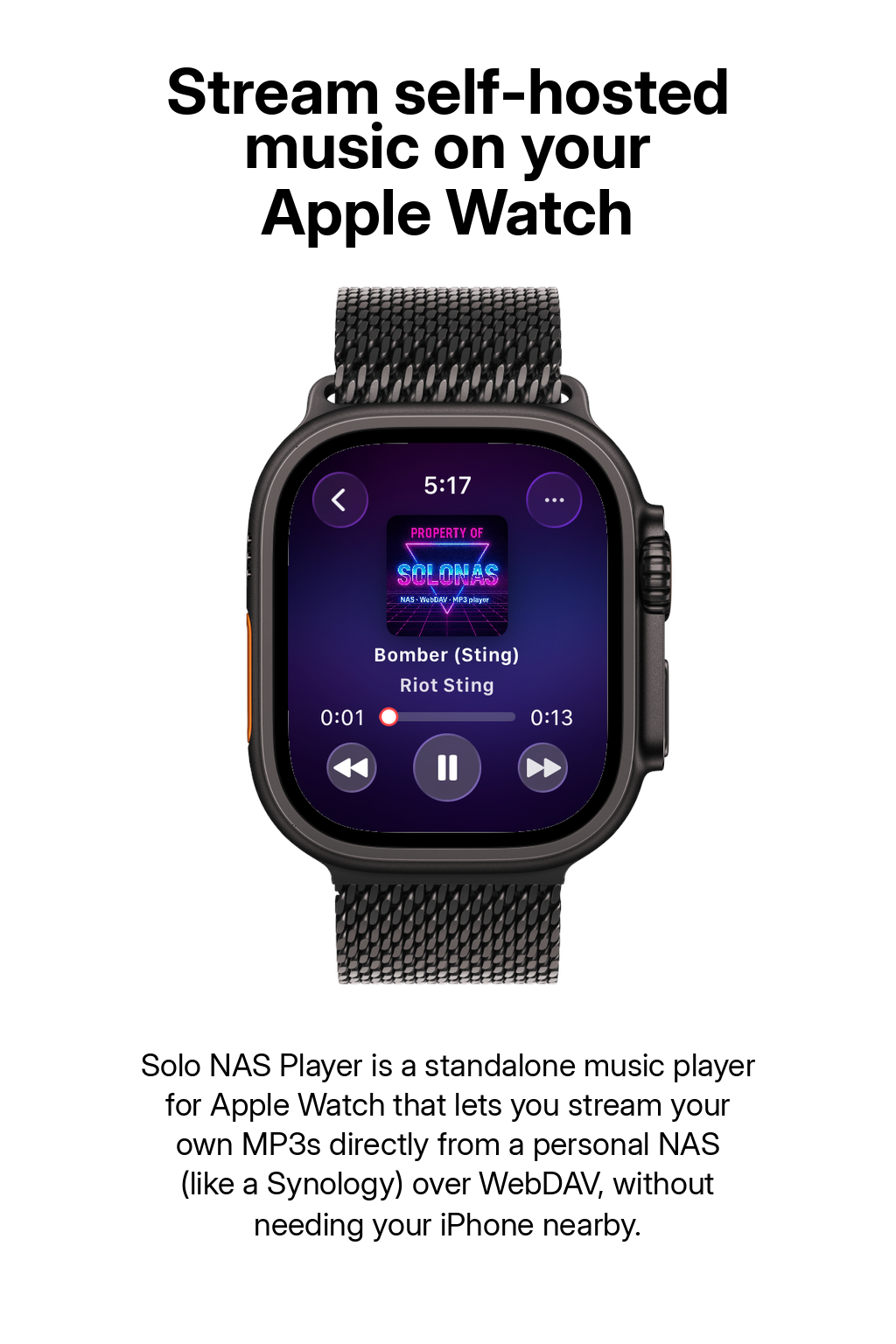
Apple Watch Makes It Hard to Play Your Own MP3s
Apple Watch is a great music device, but Apple designed it around Apple Music and iCloud. If you have a personal MP3 collection - ripped CDs, purchased downloads, live recordings - there is no obvious way to get those files onto your wrist.
The official route requires importing every file into Apple Music on a Mac or PC, creating playlists, and syncing them to the Watch via iPhone. It is slow, limited by Watch storage, and breaks whenever your iTunes library changes.
There is a simpler way: stream your MP3s directly from your home NAS or WebDAV server to your Apple Watch using SOLONAS. No importing, no syncing, no storage limits.
The Official Way: Sync MP3s via iPhone
Apple's built-in method works, but it requires multiple steps and has limitations. Here is how to do it:
On your Mac or PC, open Apple Music (or iTunes on Windows). Go to File → Import and select your MP3 files. They are added to your library.
Select the songs you want on your Watch and add them to a new playlist. The Watch only syncs playlists, not individual tracks.
On your iPhone, open the Watch app, scroll to Music, and enable sync for the playlist. Place your Watch on its charger and wait for the transfer to complete.
Open the Music app on your Watch and select the synced playlist. The files are stored locally on the Watch and play offline.
Limitations of this method:
- Apple Watch storage is limited (typically 16-32 GB shared with apps and OS)
- Must re-sync manually every time you add new music
- Requires a Mac or PC with Apple Music / iTunes
- Files must be imported into Apple Music's library format
- Syncing is slow - large playlists can take hours on the charger
The Better Way: Stream with SOLONAS
SOLONAS is an Apple Watch MP3 player that streams music directly from your NAS or WebDAV server. No importing, no syncing, no storage limits. Your entire library is available on your wrist the moment you connect.
On Synology: Package Center → install WebDAV Server → enable HTTPS (default port 5006).
On QNAP: App Center → install WebDAV Server → enable HTTPS.
Most NAS devices have WebDAV built in - no extra software needed.
Open the App Store on your Watch, search for SOLONAS, and buy it. One-time purchase, no subscription.
Open SOLONAS and enter your NAS hostname (or local IP), port, music folder path, and credentials. Tap connect and you are in.
Your full music library appears instantly. Tap any MP3 to start streaming. Use shuffle, repeat, queue - all from your wrist.
iTunes Sync vs. SOLONAS Streaming
| Feature | iTunes Sync | SOLONAS |
|---|---|---|
| Requires Mac or PC | Yes | No |
| Library size limit | Watch storage (16-32 GB) | Unlimited (streams from NAS) |
| New music available | After re-sync on charger | Instantly |
| Requires Apple Music import | Yes | No - plays files as-is |
| Works without iPhone nearby | Yes (offline) | Yes (Wi-Fi or cellular) |
| Supported formats | MP3, AAC, ALAC | MP3, FLAC, CAF |
| Price | Free (with Apple ecosystem) | One-time purchase |
Apple Watch MP3 - Common Questions
Can I play my own MP3 files on Apple Watch?
Yes. You can sync MP3s via iPhone using Apple Music playlists, or stream them directly from a NAS or WebDAV server using SOLONAS for Apple Watch. SOLONAS lets you play any MP3 on your Watch without importing or syncing.
Do I need Apple Music to play MP3s on Apple Watch?
No. Apple's official sync method uses the Music app, but SOLONAS is an independent MP3 player that streams directly from your NAS or WebDAV server. No Apple Music subscription or library import needed.
Can Apple Watch play MP3s without an iPhone nearby?
Yes. Synced music plays offline from the Watch. SOLONAS streams over Wi-Fi or cellular - either way, your iPhone does not need to be nearby during playback.
What is the easiest way to play MP3s on Apple Watch?
SOLONAS. Install the app, point it at your NAS or WebDAV server, and your entire MP3 library is instantly available on your wrist. No computer, no syncing, no playlist limits.
How many MP3s can I play on Apple Watch?
With iTunes sync, you are limited by Watch storage (16-32 GB shared with apps). With SOLONAS, there is no limit - music streams from your NAS, so your full library is accessible regardless of size.
Does SOLONAS support FLAC on Apple Watch?
Yes. SOLONAS v8.0 added FLAC and CAF support on watchOS. You can stream lossless audio directly from your NAS to your wrist.
How much does SOLONAS cost?
SOLONAS for Apple Watch is a paid app on the App Store. It is a one-time purchase, with no subscription and no in-app purchases.
More questions? See the full FAQ page or contact support.
Play Your MP3s on Apple Watch Today
One-time purchase on the App Store. No subscription. Your music, your Watch, your way.
 Apple Watch app
iPhone app
Apple Watch app
iPhone app