Self-Hosted Music
Self-Hosted Music Streaming
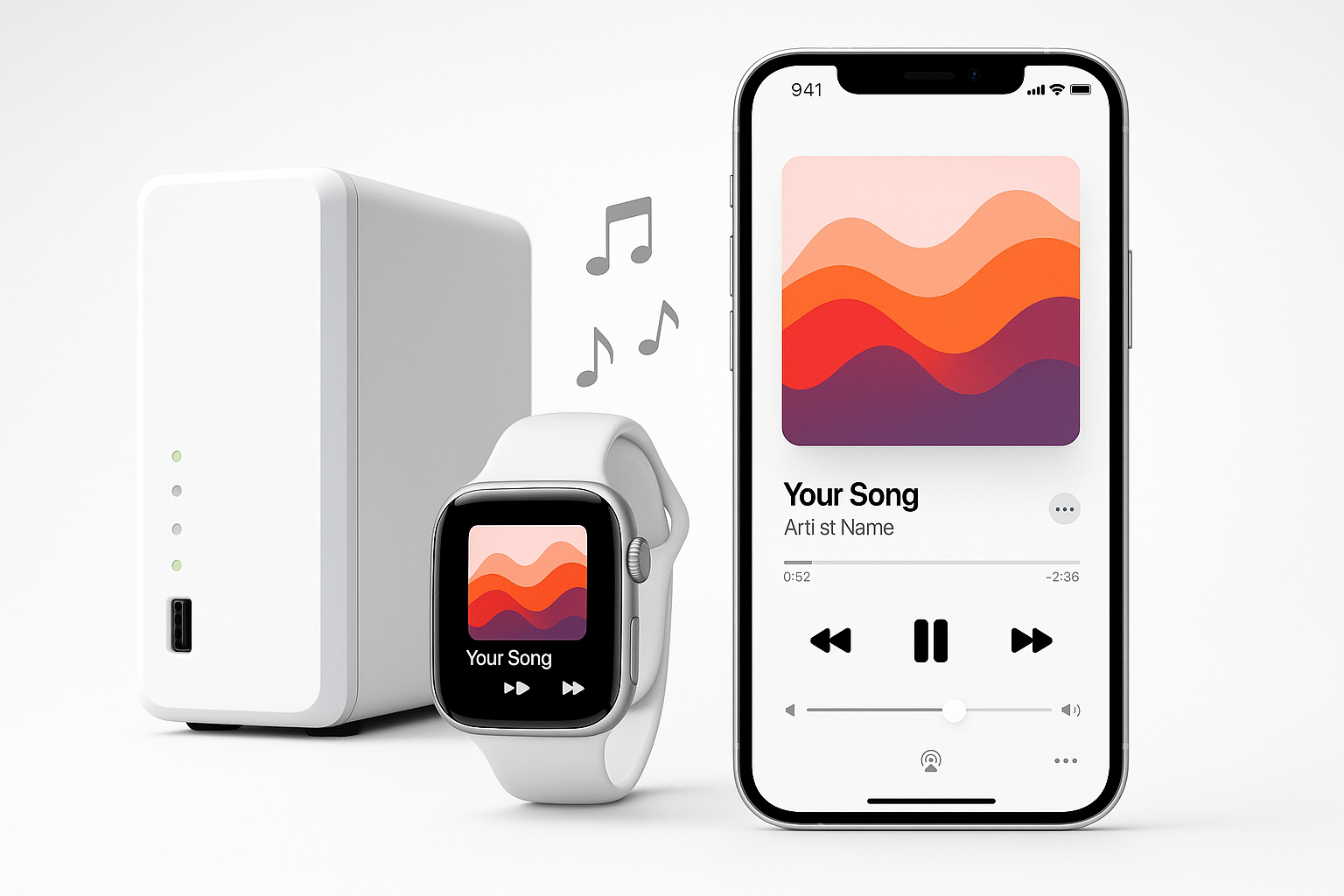
Your music. Your server. No cloud, no subscription, no one listening in. Stream your personal collection from a NAS or WebDAV server to iPhone and Apple Watch.
 iPhone app
Apple Watch app
iPhone app
Apple Watch app
Why Self-Host
Why People Are Leaving Cloud Music Services
Spotify, Apple Music, and YouTube Music are convenient, but they come with trade-offs that matter to a growing number of music fans. Albums disappear from catalogs without warning. Subscription fees creep up every year. And every song you play is tracked, profiled, and fed into recommendation algorithms.
Self-hosted music streaming puts you back in control. Your files live on your own hardware. Nobody can remove an album from your library. Nobody is watching what you listen to. And the monthly cost is zero.
Privacy
No listening analytics. No behavioral profiles. Your music habits stay between you and your server.
Ownership
Albums never disappear. Ripped CDs, purchased downloads, rare recordings - they stay in your library forever.
No Monthly Fee
If you already own a NAS, self-hosted streaming costs nothing. No subscription. No premium tier. No price hikes.
Your Options
Self-Hosted Music: How the Approaches Compare
There are several ways to stream music from a home server. Each has different requirements and trade-offs. Here is an honest comparison:
| Feature | SOLONAS (WebDAV) | Plex | Jellyfin | Navidrome / Subsonic |
|---|---|---|---|---|
| Server software needed | None - uses built-in WebDAV | Plex Media Server | Jellyfin Server (Docker) | Navidrome / Subsonic server |
| Setup time | ~5 minutes | 30+ minutes | 30+ minutes | 20+ minutes |
| Library scanning required | No - reads folders live | Yes | Yes | Yes |
| Apple Watch app | Yes - native watchOS | No | No | No |
| iPhone app | Yes | Yes | Yes (third-party) | Yes (third-party) |
| Subscription required | No subscription | Plex Pass for full features | Free | Free |
| Cloud relay | None - direct connection | Yes - routes through Plex cloud | None | None |
| Best for | Simple, private, Apple-focused | Multi-media (video + music) | Open-source, full control | Music-focused, advanced features |
Bottom line: If you want the simplest path from NAS to iPhone and Apple Watch with zero server software, SOLONAS with WebDAV is the lightest option. If you need video too, Plex or Jellyfin makes more sense. If you want advanced music features like scrobbling and smart playlists, Navidrome is worth a look.
The Simple Path
Why WebDAV Is the Easiest Self-Hosted Setup
Every approach above except WebDAV requires installing and configuring server software on your NAS. WebDAV is different: your NAS already has it. On Synology, it is a one-click install in Package Center. On QNAP, TrueNAS, and Nextcloud, it is built in.
That means you go from "I want to stream my music" to "music is playing on my Watch" in about five minutes:
Open your NAS admin panel, enable the WebDAV service, and turn on HTTPS. On Synology, install the WebDAV Server package and check "Enable HTTPS" (port 5006).
In your NAS user settings, create a dedicated account with read-only access to your music folder. This keeps SOLONAS isolated from the rest of your NAS.
Download SOLONAS for Apple Watch or SOLONAS for iPhone from the App Store.
Enter your NAS host, port, music folder path, and credentials in SOLONAS. Tap connect. Your library is ready.
Need detailed instructions? See the Synology setup guide or the full installation guide.
FAQ
Self-Hosted Music - Common Questions
What is self-hosted music streaming?
Self-hosted music streaming means playing your own collection from a server you own - typically a NAS at home. Your files stay on your hardware. You stream them to your phone or watch without uploading to a third-party cloud.
Do I need Plex or Jellyfin to stream music from my NAS?
No. Plex and Jellyfin are media servers that require installation and maintenance. SOLONAS uses WebDAV, which is already built into most NAS devices. No extra software needed.
What is the simplest way to stream my own music?
Enable WebDAV on your NAS (five minutes), install SOLONAS, and enter your server details. No media server, no transcoding, no Docker. Full setup guide.
Can I stream self-hosted music to Apple Watch?
Yes. SOLONAS for Apple Watch streams directly from your NAS or WebDAV server to your wrist. It is the only self-hosted music app with a native watchOS player.
Is self-hosted streaming really private?
Yes. Your files never leave your server. SOLONAS streams over HTTPS directly from your NAS to your device. No third-party cloud, no analytics on your listening, no data sold to advertisers.
How much does it cost?
If you already have a NAS, the only cost is the app itself, a one-time purchase on the App Store. WebDAV is built into your NAS. There is no subscription, no Plex Pass, and no premium tier.
What audio formats does SOLONAS support?
SOLONAS supports MP3, FLAC, and CAF. FLAC support was added in v8.0 for Apple Watch, enabling lossless streaming from your NAS.
More questions? See the full FAQ page or contact support.
Get SOLONAS
Start Streaming Your Own Music
On the App Store. No cloud. No subscription. Your library, your way.
iPhone app
Apple Watch app